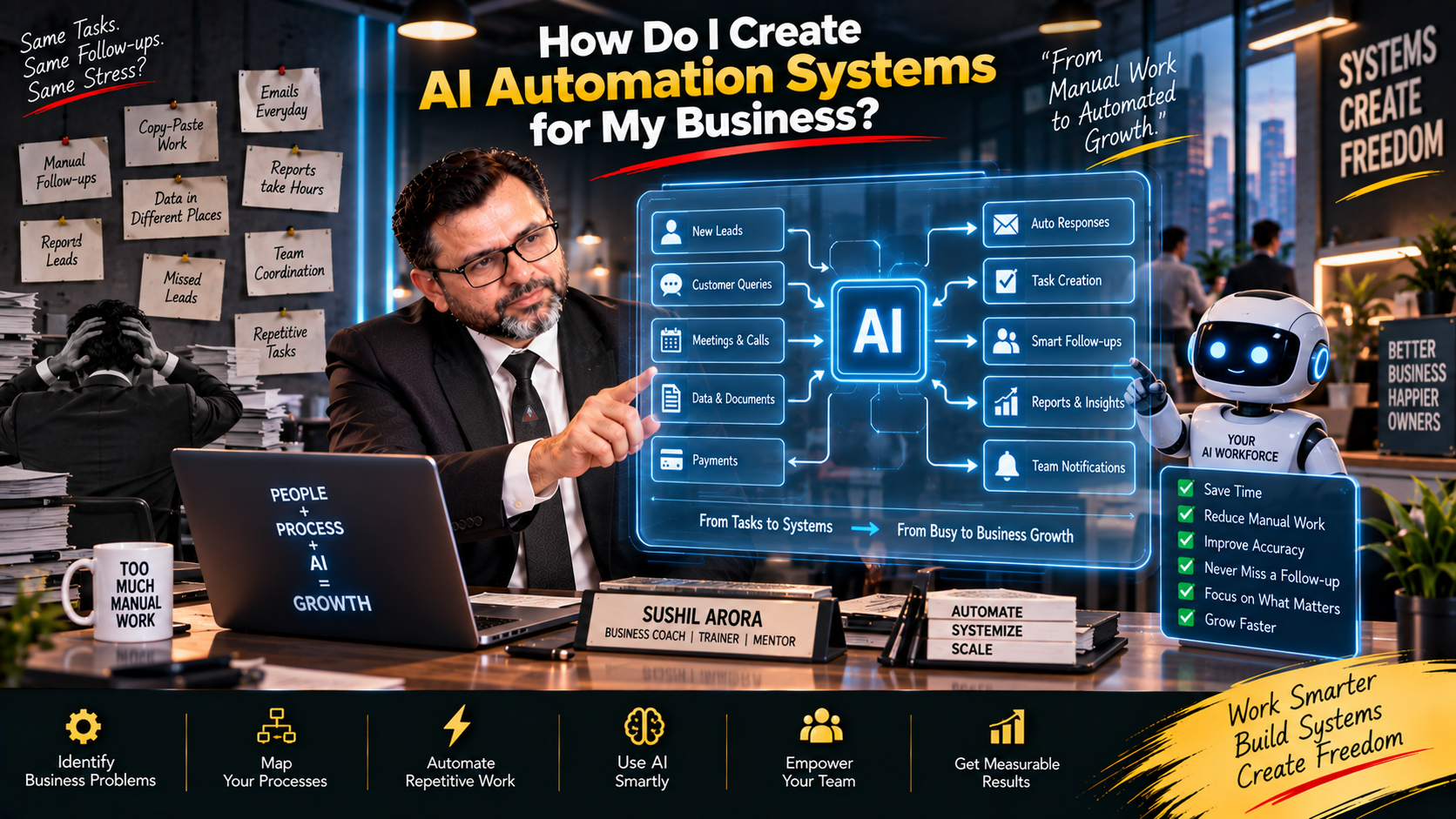
🤖 “I’m Using AI Tools, but Why Does My Business Still Feel So Manual?”
A business owner tells me:
“Sushil Sir, we are already using AI.”
I ask:
“What exactly is AI doing in your business?”
The answer often sounds like this:
“We use it to write emails.”
“My marketing person uses it for content.”
“Sometimes I use it to make reports.”
“Our sales team uses it for messages.”
These things can save time.
But they don’t necessarily mean you have built an AI automation system.
Your employees may still be copying information from one place to another.
Someone still remembers every follow-up.
Leads still need to be assigned manually.
Reports still need to be prepared.
Customer information sits in different places.
And the owner still gets involved whenever something gets stuck.
That’s when I ask:
“Are You Using AI for Individual Tasks, or Have You Built a System That Helps Work Move Through the Business?”
There is a big difference.
💡 HOW I APPROACH AI AUTOMATION — SUSHIL ARORA
🤖 When I work with a business owner who wants AI automation, I don’t begin by choosing tools. I first map how work currently moves through the business and find where people are repeatedly copying information, chasing updates, preparing the same communication, or making predictable decisions.
⚙️ Then I decide what should remain human, what can be automated, and where AI can add useful judgement or language support. My aim is to build a simpler business process, not a complicated collection of AI tools that creates another problem for the owner.
🔍 First, Understand What an AI Automation System Actually Means
Let’s keep this simple.
Suppose a new lead comes through your website.
Today, your process may look like this:
Lead Arrives → Someone Checks It → Someone Copies It Into a Sheet → Salesperson Gets Informed → Salesperson Calls → Someone Records Notes → Follow-Up Is Remembered Later
There are several manual steps.
Now imagine a better-designed workflow:
Lead Arrives → Information Is Captured → Lead Is Assigned → Salesperson Is Alerted → Follow-Up Task Is Created → Conversation Is Recorded → AI Helps Summarize It → Next Action Is Scheduled → Manager Can See the Status
That is much closer to a system.
AI is one part of it.
Automation is another.
Your CRM or business software may be another.
And people are still part of it.
💡 A Good AI Automation System Connects Work. It Doesn’t Simply Add AI to Every Task.
1. Start With a Business Problem, Not an AI Tool
This is the first rule I would follow.
Don’t begin with:
“Which AI Tool Should I Buy?”
Begin with:
🎯 “What Is Taking Too Much Time or Going Wrong Repeatedly?”
Maybe:
Leads aren’t followed up.
Invoices are chased manually.
Customer questions are repeated.
Reports take hours.
Employees keep entering the same information.
Content creation takes too long.
Customer onboarding depends on several people remembering what to do.
These are business problems.
Now we can examine whether automation can help.
Problem → Process → Automation Opportunity → Technology
I prefer that order.
2. Map the Process From Beginning to End
Suppose you want to automate customer onboarding.
Don’t automate the first step and stop.
Map everything.
Customer Pays → Confirmation → Information Collected → Account Created → Internal Team Notified → Documents Sent → First Meeting Scheduled → Customer Record Updated
Then ask:
🔍 Where Does Someone Manually Move Information?
🔍 Where Do Delays Usually Happen?
🔍 Where Do Employees Repeat the Same task?
🔍 Where Does Someone need to make a judgement?
🔍 Where does the customer need a human?
Now the automation opportunity becomes clearer.
🎯 If I Don’t Understand the Whole Process, I Don’t Automate It Yet.
3. Separate Automation From AI
These two terms are often mixed together.
They aren’t exactly the same.
Automation is useful when:
“When X Happens, Do Y.”
For example:
A form is submitted → create a CRM record.
An invoice becomes due → create a reminder.
A meeting is booked → send confirmation.
A deal is won → create an onboarding task.
AI becomes useful when the work requires something less fixed.
For example:
Summarize this meeting.
Classify this enquiry.
Draft a response.
Extract important information.
Turn these notes into a report.
⚙️ Automation Moves the Work. AI Can Help Understand or Create Information Inside the Work.
Knowing that difference helps me avoid using AI where a simple rule would work better.
4. Find Your Most Repetitive Work
I would sit with the owner and team and ask:
👉 “What Do You Do Every Day That Feels Almost the Same?”
That question usually produces useful answers.
“We manually enter leads.”
“We send the same onboarding information.”
“We prepare the same weekly report.”
“We remind customers about payments.”
“We copy meeting notes into the CRM.”
These are good places to investigate.
I would look for work that is:
Repeated often.
Based on reasonably clear rules.
Time-consuming.
Prone to being forgotten.
Easy to measure.
💡 Your First Automation Doesn’t Need to Be Impressive. It Needs to Solve a Real Problem.
5. Build the Trigger First
Every automation needs a starting point.
Something happens.
Then the workflow begins.
For example:
New Lead Submitted
Payment Received
Invoice Overdue
Customer Complaint Received
Meeting Completed
Deal Marked as Won
Employee Submits a Request
Then we decide what happens next.
🎯 “What Event Should Start This Process?”
If the trigger isn’t clear, the automation usually isn’t clear either.
6. Define Every Action That Should Follow
Let’s take a new lead.
Trigger:
New Enquiry Received
Possible actions:
1. Capture the Lead
2. Check Required Information
3. Add It to the CRM
4. Assign the Right Salesperson
5. Alert the Salesperson
6. Create the First Follow-Up Task
7. Send an Appropriate Acknowledgement
8. Escalate if Nobody Responds Within the Required Time
Now we have a workflow.
Then I ask:
🤖 “Which of These Steps Needs AI?”
Maybe none.
Maybe AI helps classify the enquiry.
Maybe it helps summarize a detailed customer request.
Maybe it drafts a personalized first response for review.
The point is:
I Add AI Where It Has a Job.
7. Decide Where Human Approval Is Required
I don’t want AI making every business decision automatically.
Some actions have consequences.
A large refund.
A special discount.
A contract change.
An employee issue.
A sensitive customer complaint.
A financial commitment.
These may need human approval.
So I would design:
AI Suggests → Human Reviews → System Acts
for appropriate high-impact situations.
For lower-risk routine work, the workflow may run automatically.
🔑 “What Can the System Do Alone, and What Must a Person Approve?”
That boundary should be clear before launch.
8. Connect Your Systems Instead of Creating More Data Islands
One common problem is that businesses keep adding software.
Sales uses one system.
Marketing uses another.
Finance uses something else.
Customer support has another platform.
Important information sits in WhatsApp.
The owner gets reports through spreadsheets.
Then somebody has to connect everything manually.
That defeats part of the purpose.
When I think about automation, I ask:
⚙️ “Where Should This Information Live, and Which Systems Actually Need Access to It?”
I don’t want five conflicting versions of the same customer record.
💡 Automation Works Better When Information Has a Clear Home.
9. Use AI to Turn Unstructured Information Into Useful Information
This is one area where AI can be particularly useful.
Businesses have lots of information that isn’t neatly organized.
Customer emails.
Meeting notes.
Sales calls.
Feedback.
Support conversations.
Documents.
AI can help turn some of this into structured information.
For example:
Customer Message → Identify Topic → Summarize Issue → Route to Appropriate Team
Or:
Sales Conversation → Summary → Objection → Next Action → CRM Note
Or:
Meeting Notes → Decisions → Tasks → Owners → Deadlines
The person should still review important outputs.
🧠 AI Can Reduce the Time Between Information Arriving and Someone Being Able to Use It.
10. Build Exception Handling Before You Launch
This is something I consider very important.
Owners often design automation around the perfect situation.
But business isn’t always perfect.
What happens if:
Customer information is missing?
Payment fails?
AI can’t confidently classify the request?
The CRM is unavailable?
A customer replies with something unexpected?
The assigned employee is absent?
⚠️ “What Happens When the Automation Doesn’t Know What to Do?”
There needs to be an answer.
Maybe it creates a manual-review task.
Maybe it alerts a manager.
Maybe it stops the workflow.
Normal Case → Automate
Unusual Case → Escalate
I prefer that structure.
11. Protect Customer and Business Data
AI automation often involves information moving between systems.
That means I would look carefully at:
Customer data.
Employee information.
Financial information.
Contracts.
Internal business records.
Before connecting any AI system, I want the business to understand what data is being shared, who can access it, where appropriate permissions are required, and how the tools handle that information.
🔐 Convenience Is Not a Good Reason to Send Sensitive Business Information Everywhere.
Use appropriate access controls.
Give employees access to what their role requires.
Review integrations.
And don’t connect systems simply because you technically can.
12. Don’t Automate a Broken Process
Suppose it currently takes six unnecessary approvals to onboard a customer.
You automate all six.
Now you have a faster bad process.
I would first ask:
✂️ “Which Steps Can We Remove?”
Then:
“Which Steps Can We Simplify?”
Then:
“Which Steps Should Be Automated?”
My preferred order is:
Understand → Remove → Simplify → Standardize → Automate → Measure
💡 Automation Should Come After Process Improvement, Not Instead of It.
🚀 How I Would Build an AI Automation System for a Business
If you came to me and said:
“Sushil Sir, I Want AI Automation in My Business. Where Do We Begin?”
I would not try to automate the whole company at once.
I would work through it step by step.
🔍 Step 1: Find One Painful Repetitive Process
Maybe:
Lead follow-up.
Customer onboarding.
Payment reminders.
Weekly reporting.
Customer-support routing.
Meeting follow-ups.
Choose one.
🗺️ Step 2: Draw the Current Workflow
Write every step.
Trigger → Action → Person → System → Decision → Next Action
Now we can see the process.
✂️ Step 3: Remove Unnecessary Steps
If a step doesn’t create value, ask why it exists.
Don’t automate unnecessary work.
Remove it.
⚙️ Step 4: Standardize What Remains
Define:
Who owns it?
What information is required?
What happens next?
What is the expected result?
When does it need escalation?
🤖 Step 5: Decide What AI Should Do
Maybe AI:
Summarizes.
Drafts.
Classifies.
Extracts.
Organizes.
Suggests.
I give it a specific job.
🔗 Step 6: Connect the Workflow
Now connect the required systems so information can move without unnecessary copying.
Keep the architecture as simple as the process allows.
👤 Step 7: Add Human Checkpoints
Decide where human judgement matters.
Routine → Automated
Sensitive / Unusual / High-Risk → Human Review
🧪 Step 8: Test With Realistic Situations
I wouldn’t immediately switch the whole business over.
Test normal cases.
Test missing information.
Test unusual customer replies.
Test failures.
Test duplicate records.
Test whether employees understand what happens when the system stops.
📊 Step 9: Measure the Before and After
Before automation:
How long did the process take?
How many manual steps existed?
How often were tasks missed?
How much employee time was required?
What was the error rate where measurable?
After automation, compare.
🎯 “Did This Actually Make the Business Easier to Run?”
If not, I don’t care how impressive the technology looks.
⚠️ The Mistake I Want Business Owners to Avoid
The biggest mistake I see is trying to create an:
“AI-Powered Business”
before creating a well-organized business.
The owner buys tools.
Employees experiment with them.
Different departments create separate automations.
Nobody owns the complete system.
Six months later, the business has more software and more confusion.
👉 AI Automation Should Reduce Complexity, Not Give You a New Type of Complexity to Manage.
I would rather automate three important processes properly than create 30 automations nobody fully understands.
💡 HOW I BUILD AI AUTOMATION — SUSHIL ARORA
🤖 When I build AI automation into a business, I begin with the work, not the technology. I map the process, identify the repetitive steps, remove what isn’t needed, define ownership and then decide where automation or AI genuinely helps.
⚙️ I also decide where the system should stop and involve a person. That matters because good automation isn’t about removing people from every process. It is about removing unnecessary manual work while keeping judgement and accountability in the right place.
🎯 My aim is to create systems that employees can understand, managers can monitor and owners don’t have to personally keep running every day.
🧠 The Best Automation May Be the One Nobody Notices
A customer doesn’t care that AI classified their enquiry.
They care that the right person responded.
An employee doesn’t care that an automation moved data between two systems.
They care that they didn’t have to enter it twice.
The owner doesn’t care how technically complicated the workflow is.
They care that work gets done without constant chasing.
💡 Good Automation Should Make the Process Feel Simpler.
If employees need a three-hour explanation just to understand what the automation is doing, I would ask whether we have made it unnecessarily complicated.
📈 Build Systems That Can Grow With the Business
Imagine you currently receive 20 enquiries a day.
Manual handling may still feel manageable.
Then the business grows to 100.
Then 500.
If every new customer creates more manual work at the same rate, growth creates operational pressure.
This is why I think about automation before the workload becomes unmanageable.
🎯 “If This Process Handles Five Times More Work Next Year, What Breaks First?”
That question can show us where systems need strengthening.
🤝 Your Employees Should Understand the Automation
I don’t want AI automation hidden from the people using it.
Employees should know:
What starts the workflow?
What happens automatically?
What are they still responsible for?
What information can they trust?
What should they check?
What happens when something goes wrong?
Who owns the automation?
👥 An Automation Nobody Owns Eventually Becomes a Problem Nobody Knows How to Fix.
Assign responsibility.
Document the important workflows.
Keep them understandable.
💬 Final Thoughts From Sushil Arora
If you’re asking:
“How Do I Create AI Automation Systems for My Business?”
don’t begin by asking how many things AI can automate.
Start with the business.
🔍 Which Process Is Wasting the Most Time?
🔄 Which Work Happens Repeatedly?
✂️ Which Steps Shouldn’t Exist at All?
⚙️ Which Steps Follow Clear Rules?
🤖 Where Does AI Add Something Useful?
👤 Where Does a Person Still Need to Decide?
🔗 Which Systems Need to Exchange information?
🔐 What Data Needs Protection?
⚠️ What Happens When the automation fails?
📊 How Will I Know whether it worked?
Then build one useful system.
Test it.
Measure it.
Improve it.
Only then move to the next process.
Don’t Automate Confusion.
Don’t Buy AI Tools Before Defining the Problem.
Don’t Use AI Where a Simple Rule Is Enough.
Don’t Remove Human judgement from decisions that need it.
Don’t build automation nobody in the business understands or owns.
🎯 Your Next Step
Choose one process in your business that happens at least several times every week.
Write it down from beginning to end.
Then ask:
👉 What Starts This Process?
👉 Who Handles It Today?
👉 Which Steps Are Repeated?
👉 Where Is Information Entered Manually?
👉 Where Do Delays Happen?
👉 Which Decisions Follow a Clear Rule?
👉 Which Decisions Need Human Judgement?
👉 Could AI Help Summarize, Draft, Classify or Extract Information?
👉 What Should Happen if the system cannot complete the task?
👉 How Will I measure whether the new process is better?
Then ask yourself one final question:
🎯 “If I Automate This Process Tomorrow, Am I Automating Something That Already Makes Sense?”
If the answer is no, don’t automate it yet.
Fix the process.
Simplify it.
Define responsibility.
Then automate the repetitive parts.
That is how I would build AI automation into a business: one real business problem at a time.
💡 MY AI AUTOMATION PHILOSOPHY — SUSHIL ARORA
🤖 I don’t believe an AI-powered business is one that uses AI everywhere. I believe it is a business that knows exactly where technology can remove repetitive work and where people still add the most value.
⚙️ My approach is to understand the process first, simplify it, automate predictable work, use AI for specific information tasks, keep human control where judgement matters and measure whether the system actually improves the business.
🎯 The result I want is simple: fewer manual handoffs, fewer missed tasks, less dependence on memory, better visibility for managers and more time for the owner and team to focus on work that genuinely needs them.
— Sushil Arora